Documentation › Get started
Get started with ThalamusCUA
ThalamusCUA runs as your own instance on Thalamus AI Cloud — there is nothing to install or start. This guide takes you from your instance’s address to your first goal.
Get started!
What you need
- Your instance’s address. Each ThalamusCUA instance on Thalamus AI Cloud has its own:
https://<instance>.<environment>.thalamuscua.thalamusaicloud.com— for examplehttps://starcraft.staging.thalamuscua.thalamusaicloud.comfor the instance starcraft in its staging environment. - An account on that instance — your email and password, from whoever administers it.
- An instance of the application you want the agent to operate, that your ThalamusCUA instance can reach, and a login for the agent to use there.
There is nothing to install: Thalamus runs the console, the API, the agents, their browsers and the vision models for you.
Open the console and sign in
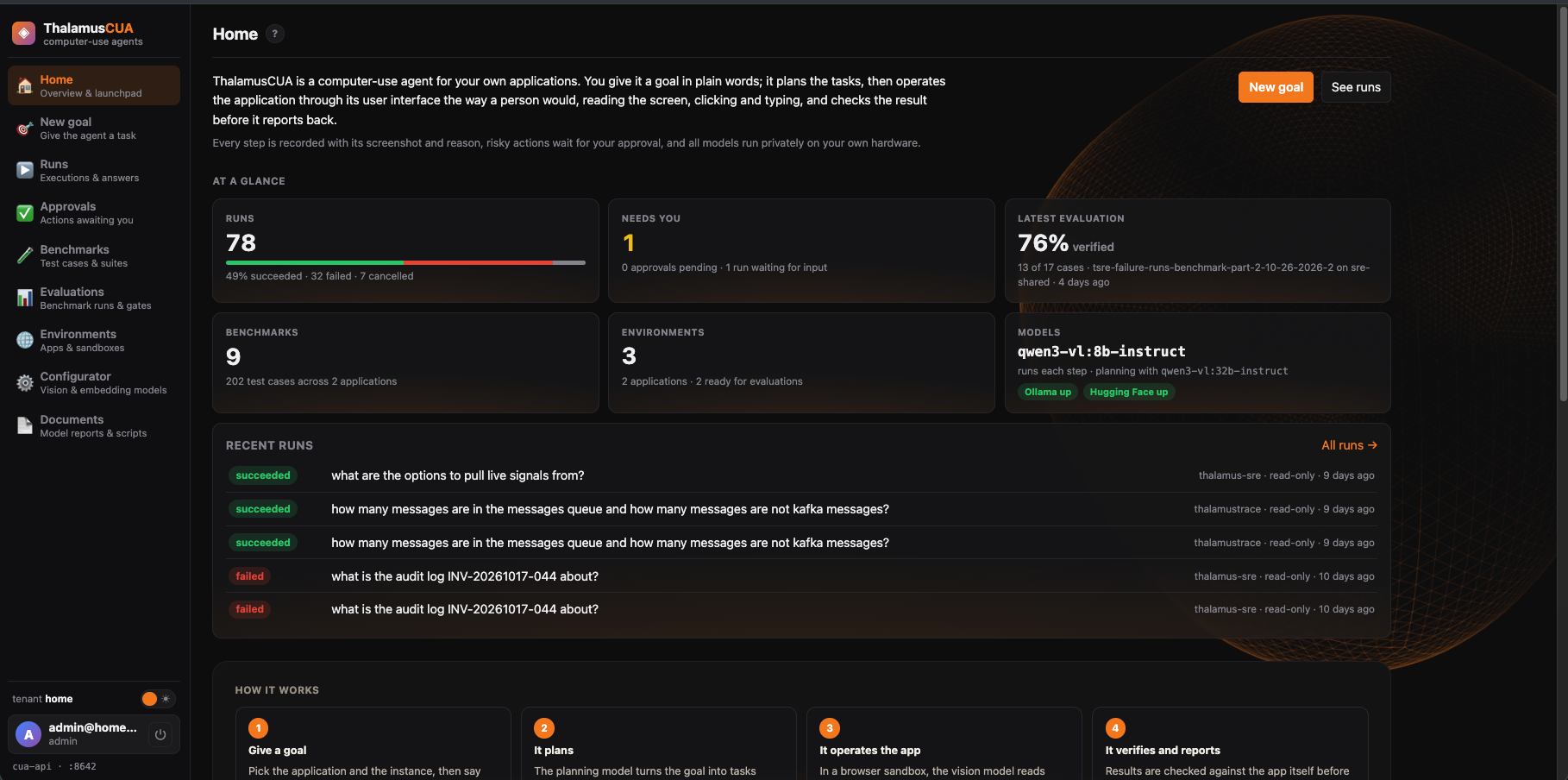
Open your instance’s address, such as https://starcraft.staging.thalamuscua.thalamusaicloud.com, and sign in with your email and
password. Home shows what is running, what needs you, and how everything fits together.
Point an environment at a real instance
Open Environments. Give the environment you will use its address and a login for the agent. Use a disposable one when the agent needs to change data; shared ones are read-only to it. See Environments & safety.
Give the agent its first goal
Open New goal, describe what you want in plain words, pick the application and environment, and start it. Follow it on its run page. The full walk-through is How-to: give the agent a goal.
Where next?
- How-to guides — step-by-step recipes for the common tasks.
- Key concepts — every term the console uses.
- Your instance — its address, what Thalamus runs for you, and what to check when something goes wrong.