Documentation › Benchmarks & evaluation
Benchmarks & evaluation
Benchmarks are how you know the agent does the job — and keeps doing it when models, prompts or the application change.
Benchmarks
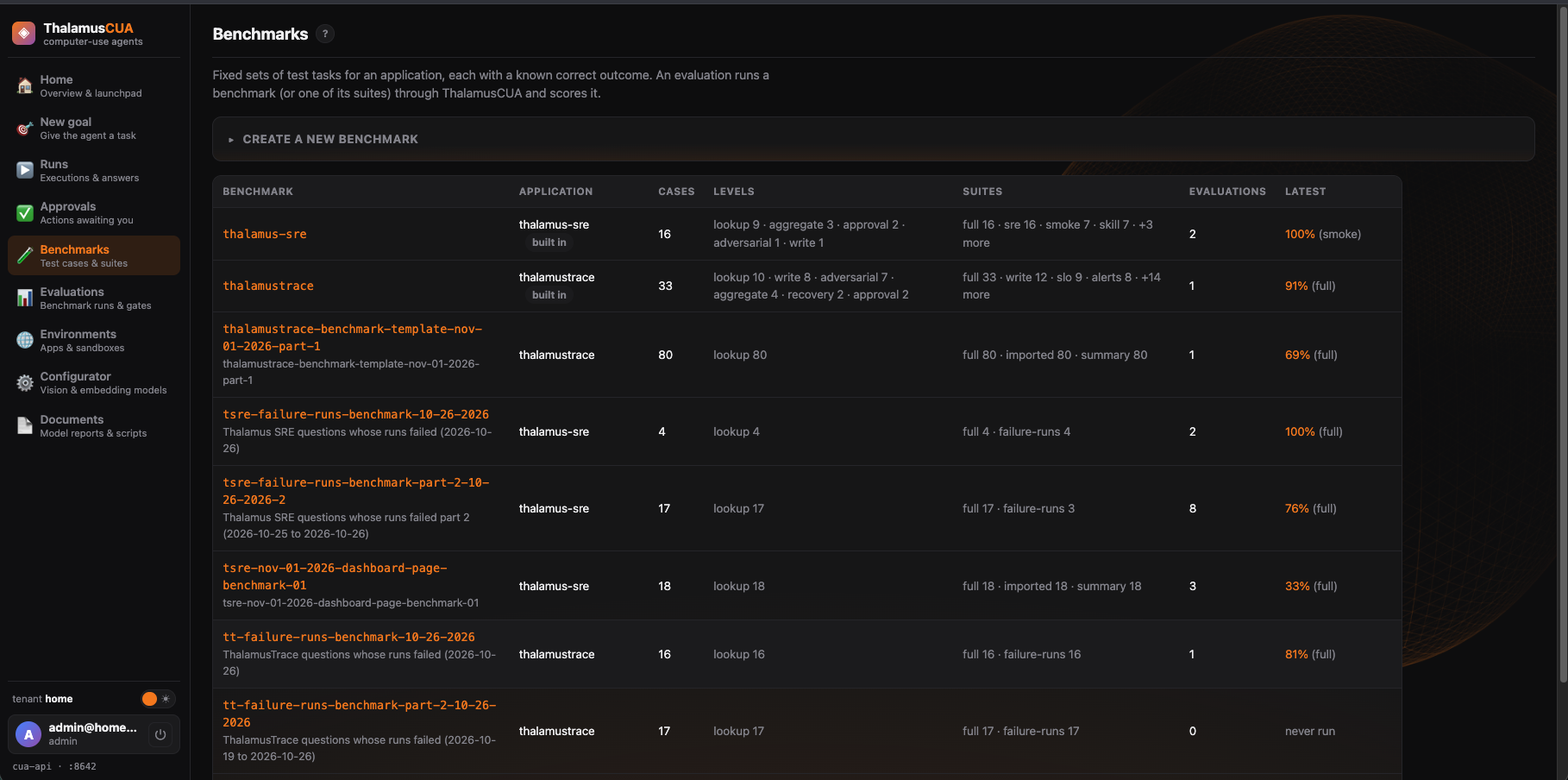
Console → BenchmarksA benchmark is a set of test cases for an application, grouped into suites. Each case is a goal plus checks on the outcome — for example, that a lookup’s answer contains the expected value, or that the application’s own API shows the change. Create, copy and edit benchmarks here, and add cases from confirmed failures.
Evaluations
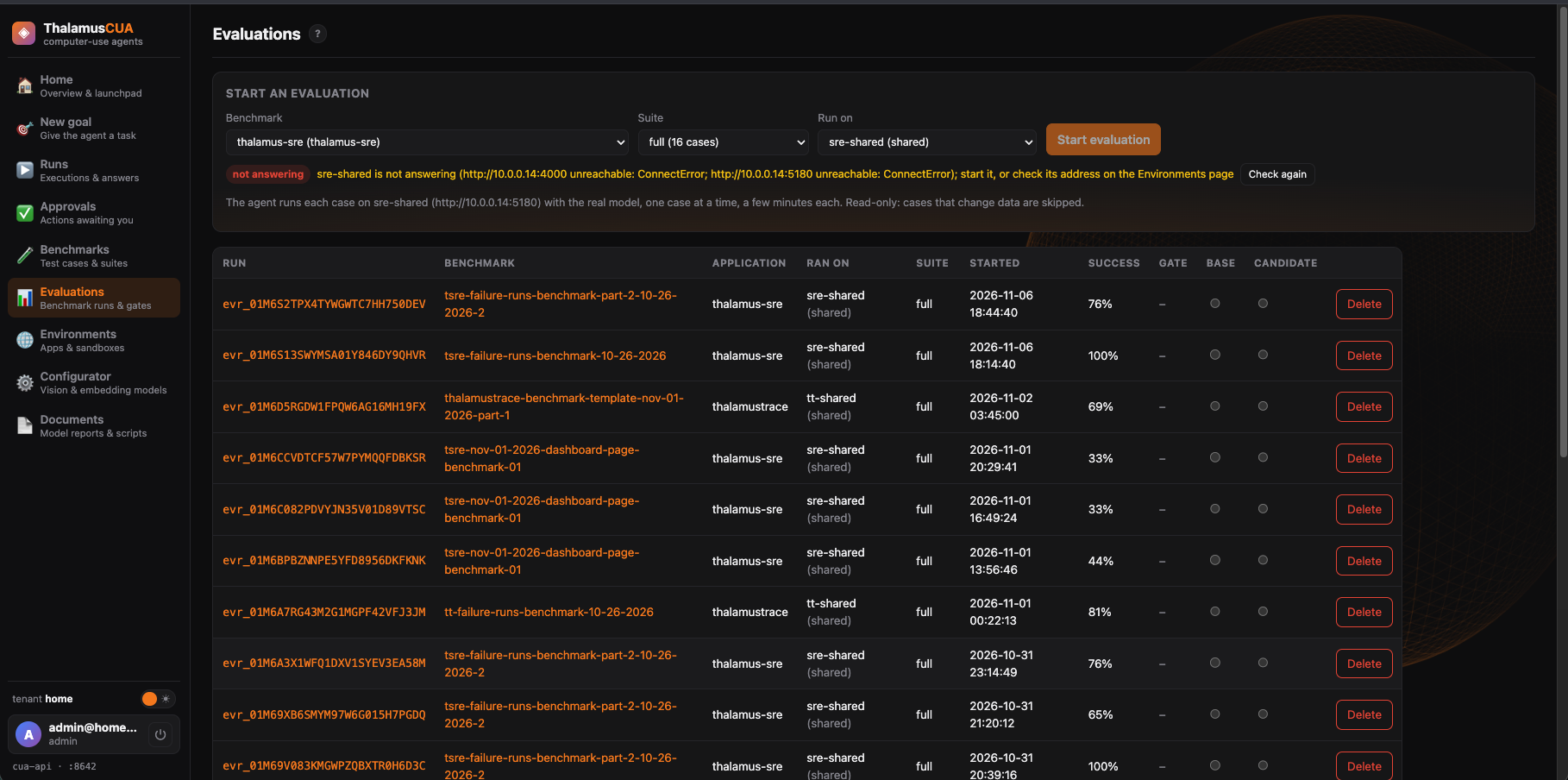
Console → EvaluationsAn evaluation runs a benchmark (or one suite) and scores every case. Start one here or with a benchmark’s Run evaluation, and choose where it runs:
- A real instance (the default): an environment with an address and login. The real model drives a browser signed in to it, one case at a time — a few minutes each.
- The mock site: the application’s fixture site with a scripted driver. About a minute — it checks the plumbing, not the model.
How-to: test the agent on a benchmark →
Running on a real instance
Health checks and read-only runsBefore it starts, the instance’s UI and API must answer their health check and the stored login must sign in; Start evaluation waits for both. It checks again before every case (three tries, ten seconds apart). If the instance stops answering, the evaluation ends there, marked stopped early: the remaining cases are listed as skipped, with the reason, and left out of the score rather than counted as the agent’s failures.
On a shared instance the evaluation is read-only: cases that would change data (writes, approvals, recovery) are skipped and listed. On a disposable instance they run too.
Reading results
Evaluations → an evaluationEach evaluation shows where it ran, every case with its outcome, and failures classified by kind. Compare configurations side by side. A confirmed failure can be promoted into the regression suite, so it is checked on every future run.
Cases are written against the data of where they run: a check copied from a mock-site benchmark may name values a real instance doesn’t have.
Measuring a model
Configurator note · DocumentsBenchmarks measure the whole agent. To compare models before choosing one — how accurately each points at the screen, how many tasks it completes, and how long a step takes — use the model benchmark. See Comparing models.